Create and manage Skills
Learn how to create, structure, test, and maintain Skills so your team can run repeat workflows with consistent quality.
Written By Mark Ku
Last updated 6 months ago
Create a Skill
Create via Skills page
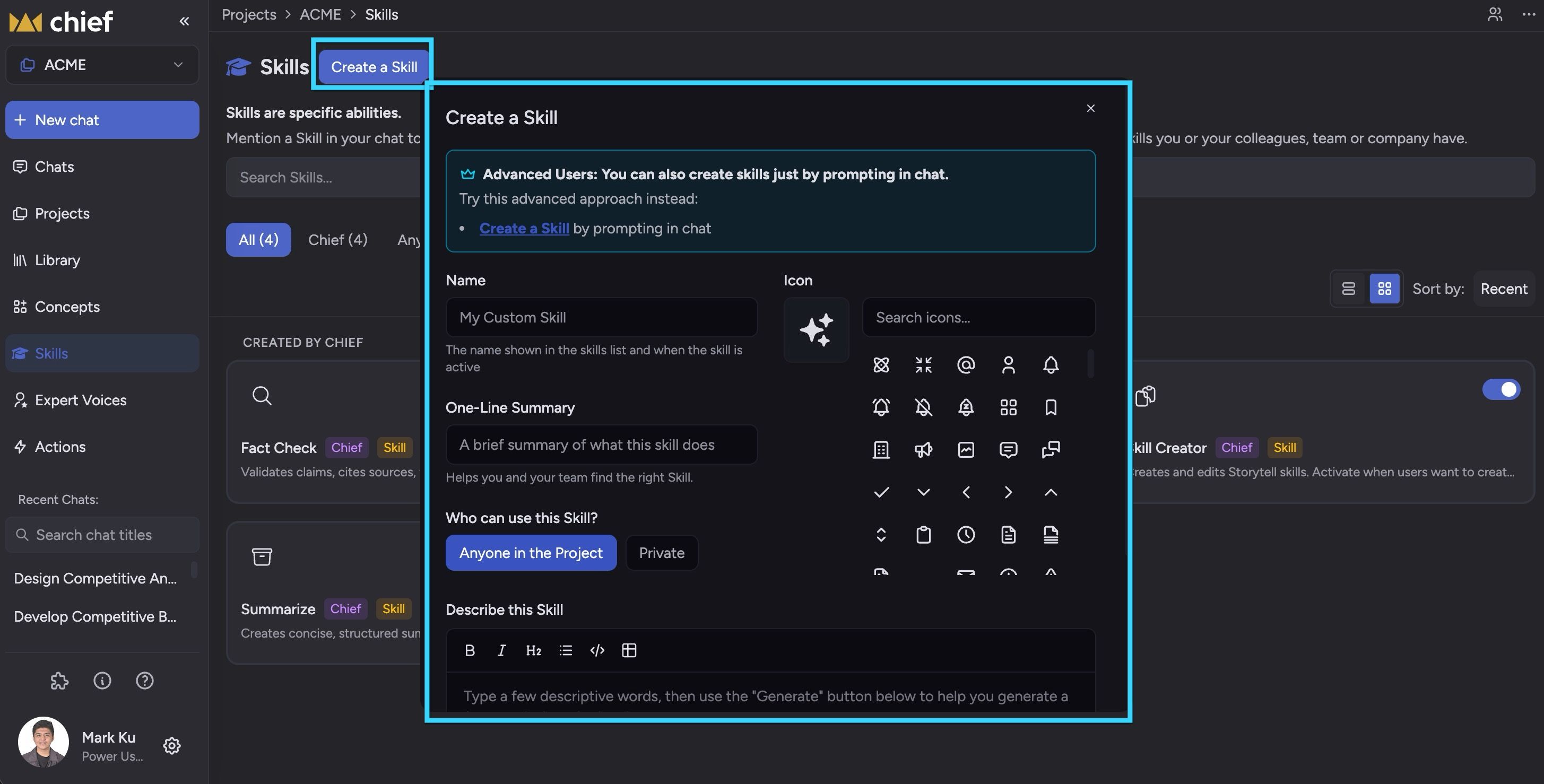
Go to Sidebar -> Skills.
Click Create Skill.
Enter a clear, action-oriented Skill name.
Add a one-sentence purpose statement.
Add your core instructions in the editor.
Set Who can use this Skill.
Click Save.
Your new Skill appears in the Skills list and is ready for testing.
Who can use this Skill
When you create or edit a Skill, choose its visibility in Who can use this Skill:
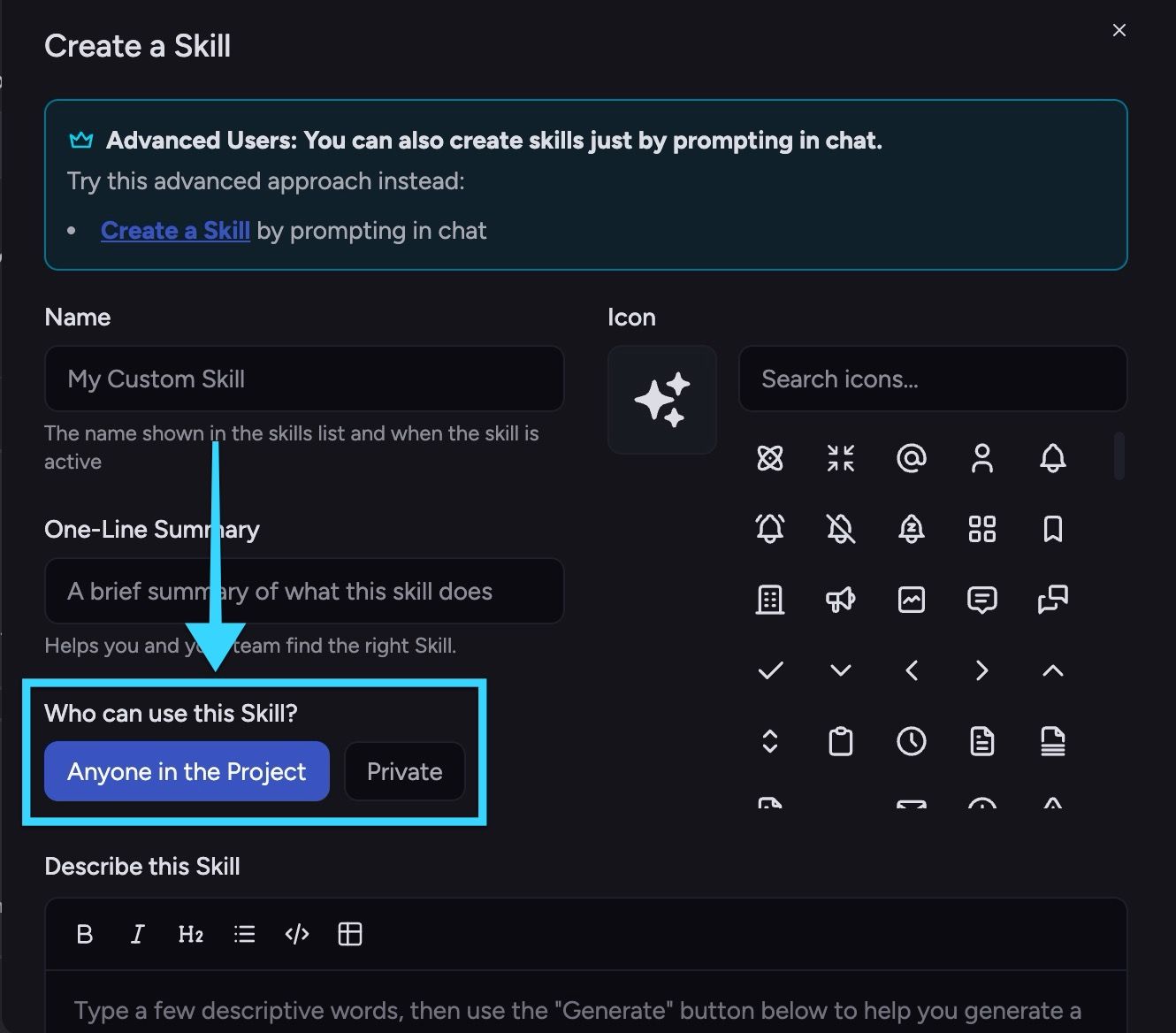
Anyone in the Project - all project members can discover and use the Skill.
Private - only you can use the Skill.
Choose Anyone in the Project for shared team workflows and standard operating procedures. Choose Private for personal drafts, experiments, or workflows you are still validating.
⚠️ Important: If teammates cannot find a Skill, check that it is not set to Private.
Structure a Skill for clarity
A clear structure makes Skills easier to use and maintain. Use this pattern:
Objective - what the Skill helps you accomplish.
When to use - trigger conditions and scope.
Inputs required - what context is needed.
Process - ordered steps the Skill should follow.
Output format - what the final response should include.
Quality checks - final validation before completion.
This keeps instructions scannable and reduces ambiguity.
ℹ️ Good to Know: Short, explicit instructions usually perform better than long narrative guidance.
Edit and improve an existing Skill
To update a Skill:
Go to Sidebar -> Skills.
Select the Skill you want to update.
Click Edit.
Update instructions, scope, or output requirements.
Click Save Changes.
Use small, incremental updates so you can isolate what improves performance.
Disable or retire a Skill
When a Skill is no longer relevant:
Go to Sidebar -> Skills.
Open the Skill details.
Select the appropriate action (toggle on/off, or delete)
Confirm your choice.
Choose disable/archive when you might reuse the Skill later. Choose delete only when you are sure it is obsolete.
⚠️ Important: Deleting a Skill is typically irreversible. Archive first if you are unsure.
Still need help? Ask the team