Selecting a specific LLM in Chief
Manually choose which large language model (LLM) Chief uses for your prompts. By default, Chief selects the model that delivers the most reliable results, but you can override it at any time or bring your own API keys if you're an enterprise customer.
Written By Patrick Intervalo
Last updated 6 months ago
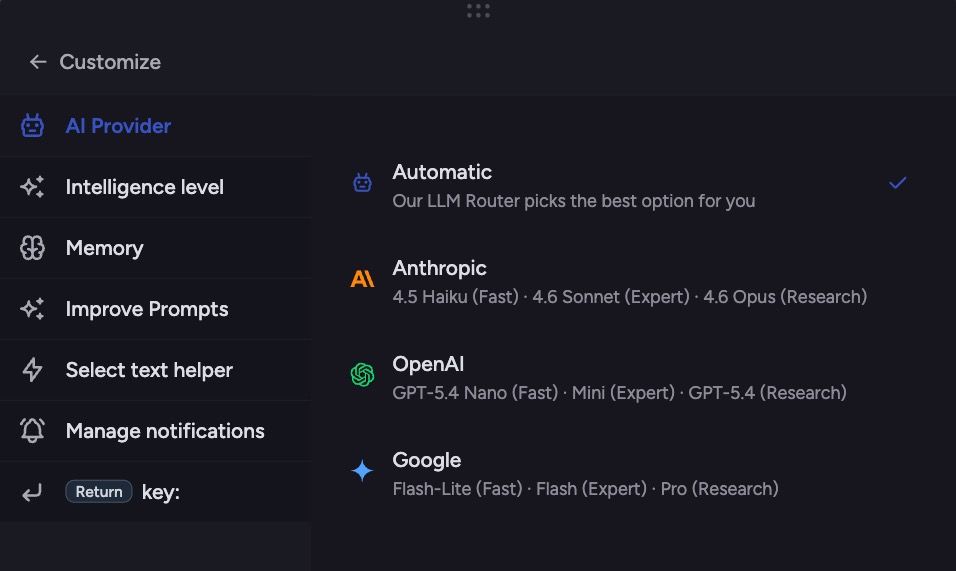
Overview
Chief evaluates the best LLM for each prompt and defaults to it. Currently, the default is Claude 4.5 Sonnet, optimized for reasoning, text generation, and tool calls.
The previous “Dynamic LLM Router” that automatically switched between multiple models is no longer used. Using a single, strong model ensures better context, higher reliability, and lower cost.
Users can still manually select a different model for specific prompts. Enterprise customers can provide their own API keys for supported models to use them directly.
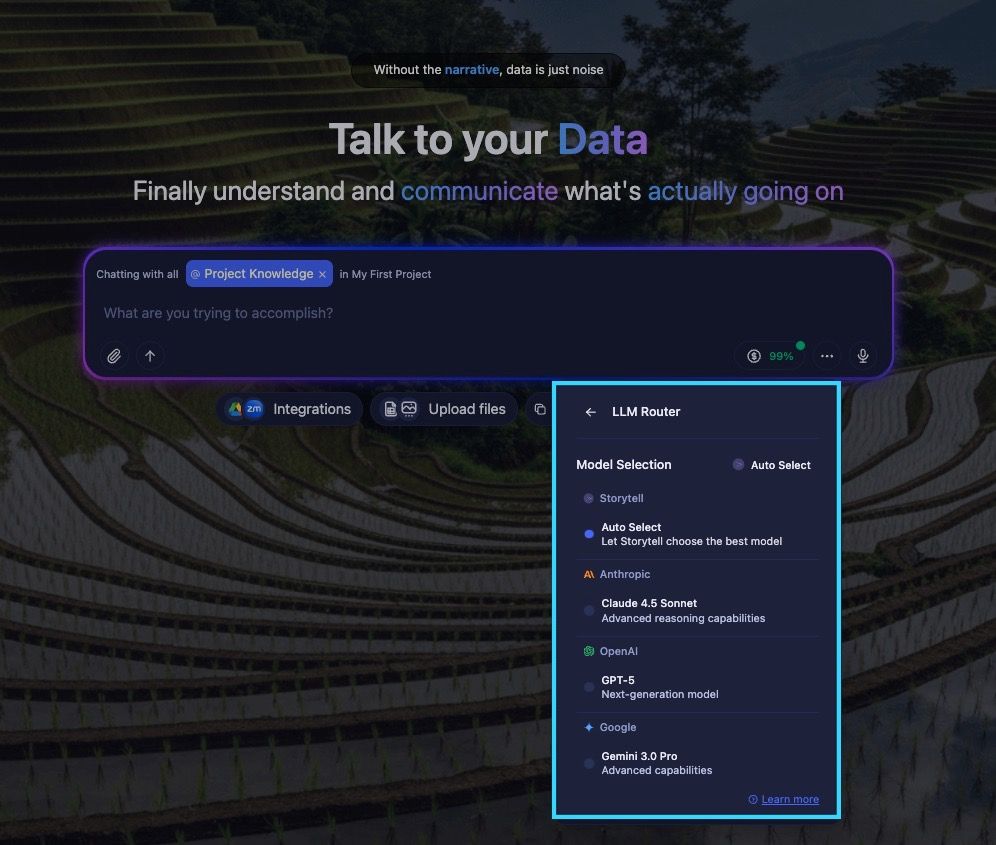
How it works
Chief automatically chooses the default LLM (Claude 4.5 Sonnet) for your prompt.
You can override the default at any time using the model dropdown.
Enterprise customers can connect their own API keys to use supported LLMs directly.
Chief no longer dynamically routes between multiple models. The current approach favors context retention and cost-efficiency while giving users flexibility when needed.
Available models
Chief offers access to a full range of supported public and enterprise language models. All available models are listed below:
Anthropic
Anthropic
Claude 4.5 Sonnet
Claude 4.5 Sonnet (default): Excellent at nuanced language, long-context understanding, and safe, reliable generation.
Best for:
Long-form generative writing
Document summarization
Fiction and storytelling
Prompt Example:
Write a 1,000-word short story set in a near-future society where memories can be traded. Focus on character development, emotional stakes, and world-building.
OpenAI
OpenAI
GPT-5: OpenAI’s Flagship Model—Smarter, Faster, More Reliable
GPT-5 is OpenAI’s newest, most capable model to date. It features built-in advanced reasoning—switching in real time between a fast, concise response mode and a “thinking” mode for deeper analysis—guided by a smart router that reads your prompt and picks the right approach. It delivers expert-level precision across writing, coding, math, health, and beyond, with fewer hallucinations and smoother performance.
Best for:Intensive reasoning tasks (e.g., strategy, complex analysis)
High-quality long-form content (reports, narratives, essays)
Advanced coding help and debugging
Accurate, nuanced answers in technical or sensitive domains
Prompt Example:
You're a senior research scientist. Given these experimental data tables, identify the key trends, assess their statistical significance, propose three possible mechanisms, and recommend the next experimental design.
(Insert data tables in prompt)
Google
Gemini 3.0 Pro
Gemini 3.0 Pro: Google’s most capable model for technical content and research.
Best for:
Cross-source research
Technical writing
Multimodal input tasks
Prompt Example:
Given this academic abstract, find three real-world applications of its findings in public health or urban planning. Also list two counterpoints or critiques of the methods used. [Insert abstract]
Overriding the default model
Open you Command Center
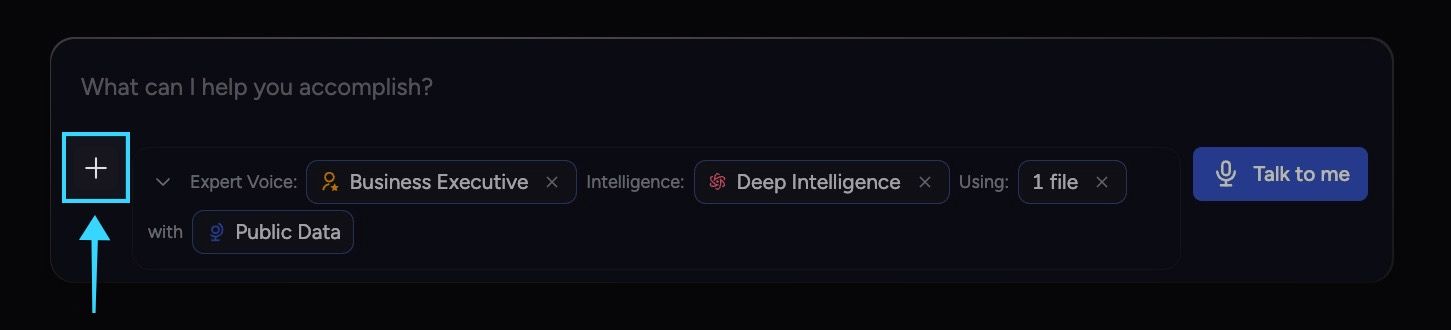
Click on Customize
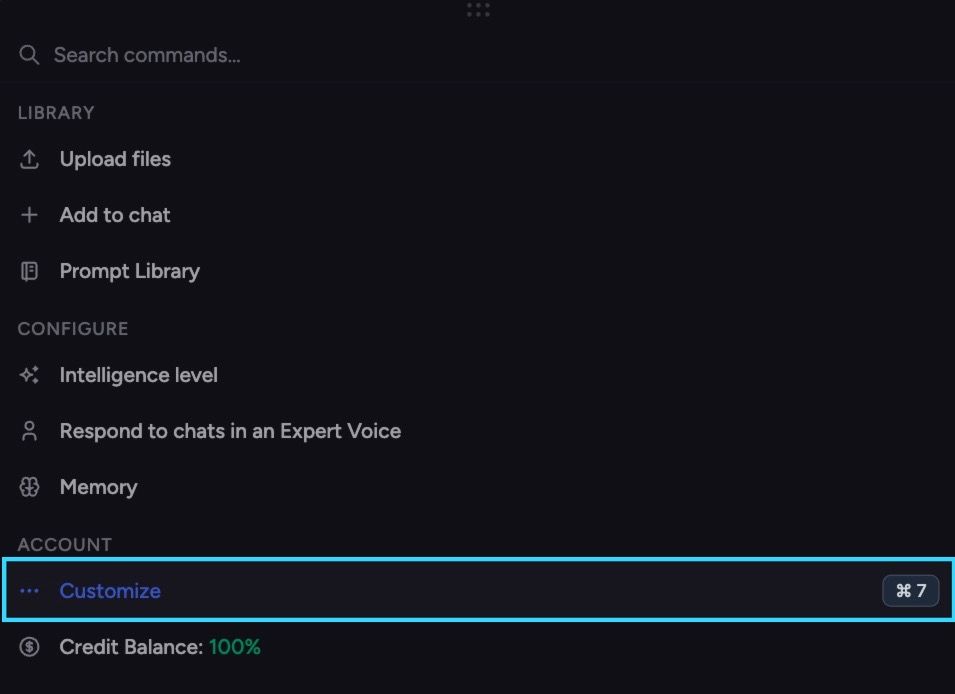
Locate the AI Provider tab on the menu.
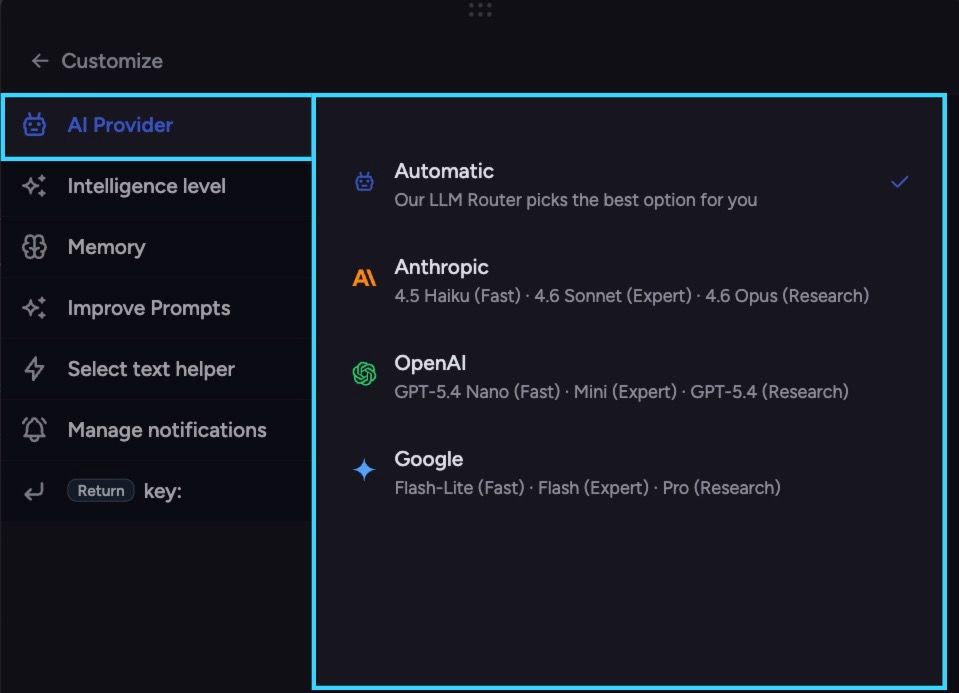
Then select the model you want to use.
Once submitted, the LLM you chose will override the default router for that specific prompt. You can repeat these steps any time you want more control over how your query is processed.
Still need help? Ask the team