Organization Billing
Organization Billing allows organizations to control how Project usage is billed in Chief. Teams can choose whether usage is charged to the Project’s organization, individual users, or a designated sponsoring organization.
Written By Patrick Intervalo
Last updated 5 months ago
Overview
Organization Billing allows organizations in Chief to control which billing source is charged for activity within a Project.
This feature gives teams more flexibility when collaborating across Projects, organizations, and shared environments by making billing ownership configurable at the Project level.
With Organization Billing, Project owners and organization administrators can:
Choose how Project usage is billed
Centralize billing for shared projects
Separate personal usage from organization-sponsored usage
Support client or enterprise-managed billing workflows
Improve visibility into Project-level consumption
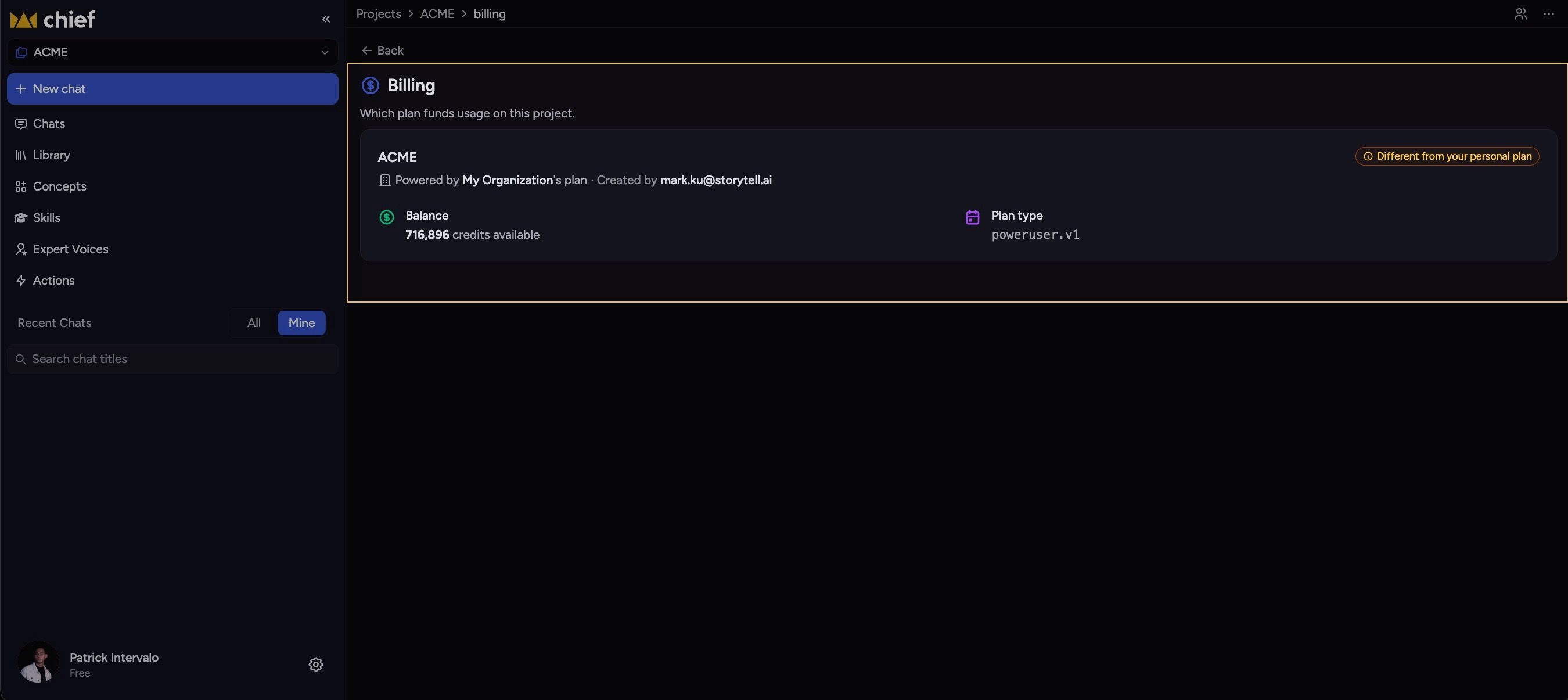
How Organization Billing Works
Every Project in Chief has a billing strategy that determines which account is charged for usage generated within that Project.
Billing applies to actions performed inside the Project, including Chief interactions, workflows, Actions, and other credit-consuming operations.
Learn more: Credit system explained
Available Billing Modes
Chief currently supports three billing modes:
Billing Modes Explained
Organization Billing (Default)
In Organization Billing mode, all usage generated within the Project is charged to the organization that owns the Project.
This is the default billing behavior for new Projects.
Example
A marketing team creates a Project under their organization.
Any member who uses the Project consumes credits from the organization’s billing plan.
Things to Know
All Project members consume from the same organization billing pool
Project members do not need their own credits when using the Project
Organization admins can monitor shared usage across Projects
Caller Billing
In Caller Billing mode, each user is billed individually for the actions they perform inside the Project.
Usage is billed against the user’s own available credits or billing plan.
Example
Multiple independent collaborators work in the same Project.
Each user pays only for the actions they personally run.
Things to Know
Users must have available credits to perform actions
Usage is isolated per user
Project owners are not automatically billed for collaborator activity
Explicit Organization Billing
Explicit Organization Billing allows a Project to bill usage to a specific organization, even if that organization does not own the Project.
This enables sponsored or externally managed billing arrangements.
Example
A client collaborates inside a shared Project, but another organization agrees to cover all usage costs.
The sponsoring organization is set as the explicit payer. The designated payer organization must be one that the user has access to and is authorized to use for billing on the Project.
Things to Know
All Project usage is charged to the designated payer organization
Users consuming credits do not need to belong to the payer organization
The payer organization must have available credits or an active billing plan
Organization admins should regularly monitor usage for sponsored Projects
Access & Permissions
Only users with Owner and Collaborator access can modify Project billing settings.
Learn more: Project Roles
How to Change a Project’s Billing Mode
Update Billing Settings
Organization Billing updates are currently handled manually by the Chief team. Self-service billing management will be available in a future update.
Want help getting this set up? Email us at support@chief.bot and we'll walk you through it.
Viewing Billing Information
Users can access billing details in two ways:
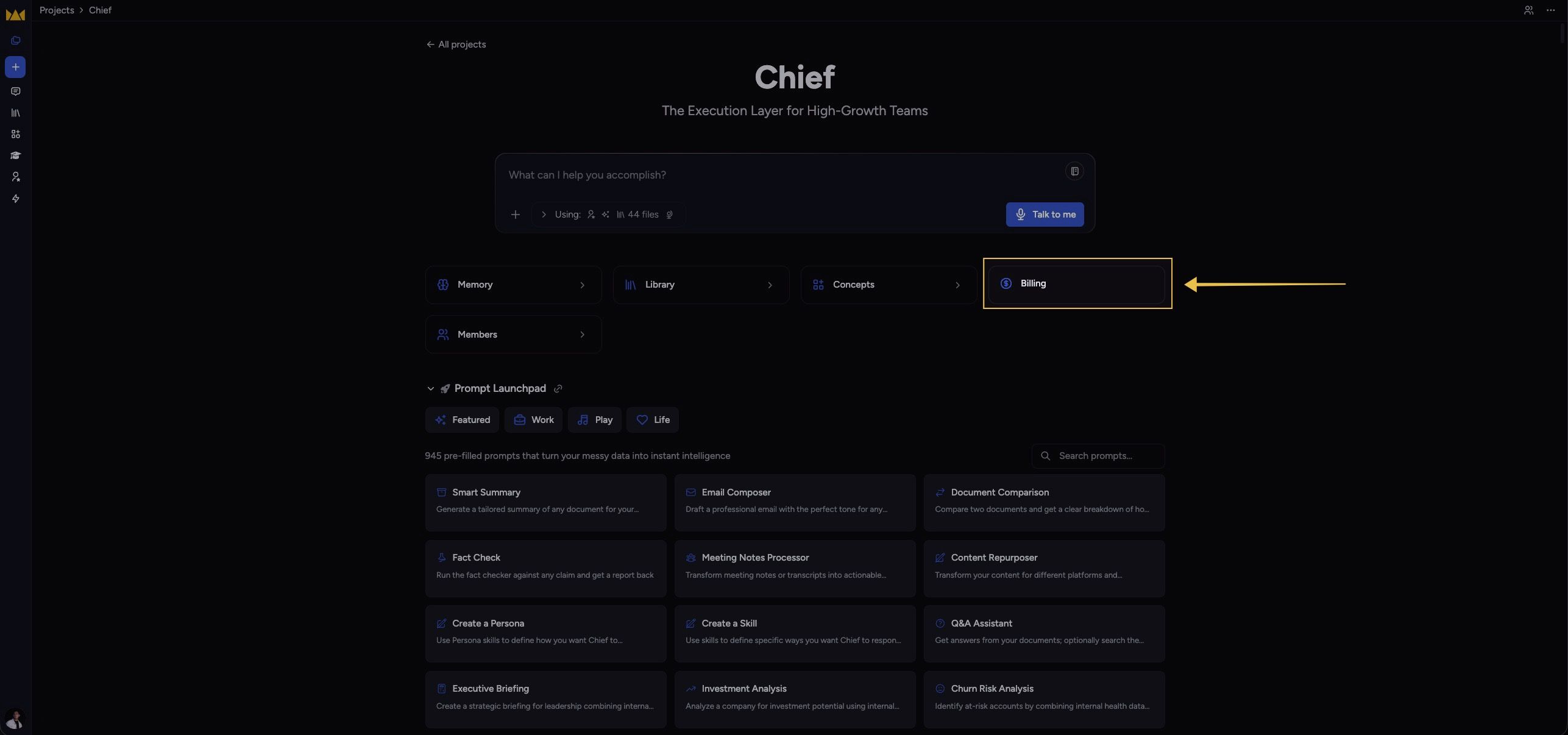
Project billing page: Click the Billing button below the prompt bar inside a Project. This opens a view showing organization billing details, Project usage, and credit consumption.
Organization billing (account settings): Click the account/settings button in the bottom-left of the screen and select Organization to view billing at the organization level.
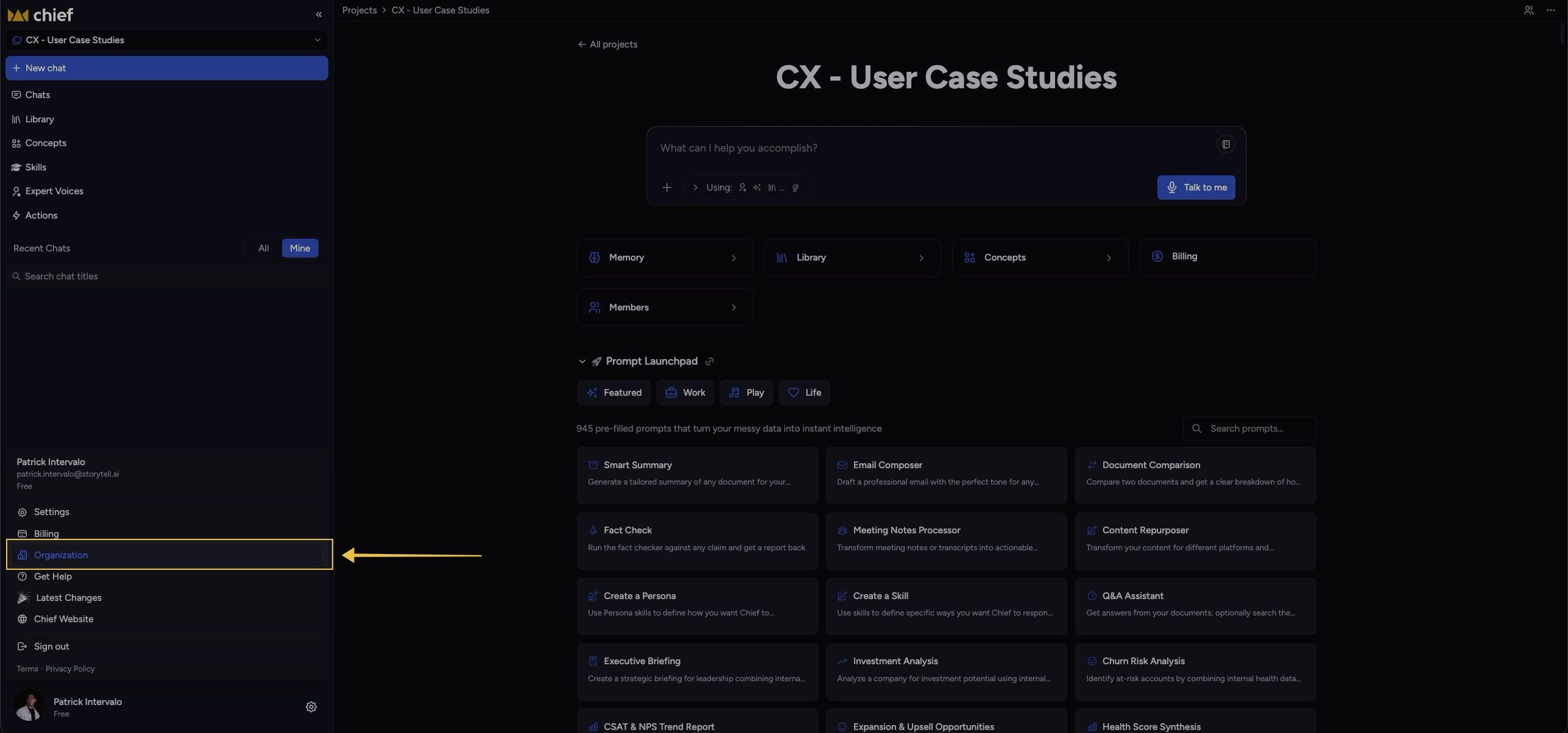
The Organization option is only visible when the user is part of a Project where organization billing is applicable.
Project Usage Visibility
Organization Billing improves visibility into Project consumption.
Project members are able to see:
Which users are consuming credits
Organization credit balance
Which user is funding a Project
This helps organizations:
Forecast usage
Manage budgets
Monitor adoption
Support internal chargeback workflows
Limitations & Considerations
Credit Availability
Projects using Organization or Explicit Organization Billing require the payer organization to have sufficient available credits.
If credits are unavailable, certain actions may be restricted.
Billing Changes Are Forward-Looking
Changing a billing mode does not retroactively reassign past usage.
Existing usage remains associated with the billing configuration active at the time the usage occurred.
Shared Project Responsibility
When using Organization or Explicit Organization Billing, all Project members consume from the same shared billing source.
Organizations should:
Monitor Project access
Review member permissions regularly
Track high-usage workflows
Cross-Organization Collaboration
Users may participate in Projects associated with organizations other than their own.
Available actions and billing behavior depend on Project membership, organization permissions, and the selected billing mode (including any designated payer organization).
Still need help? Ask the team