Expert Voices overview
Learn what Expert Voices are, how they shape your responses, and when to use built-in versus custom voices.
Written By Mark Ku
Last updated 6 months ago
What is an Expert Voice?
An Expert Voice is a response style layer that changes tone, framing, and perspective for your prompt.
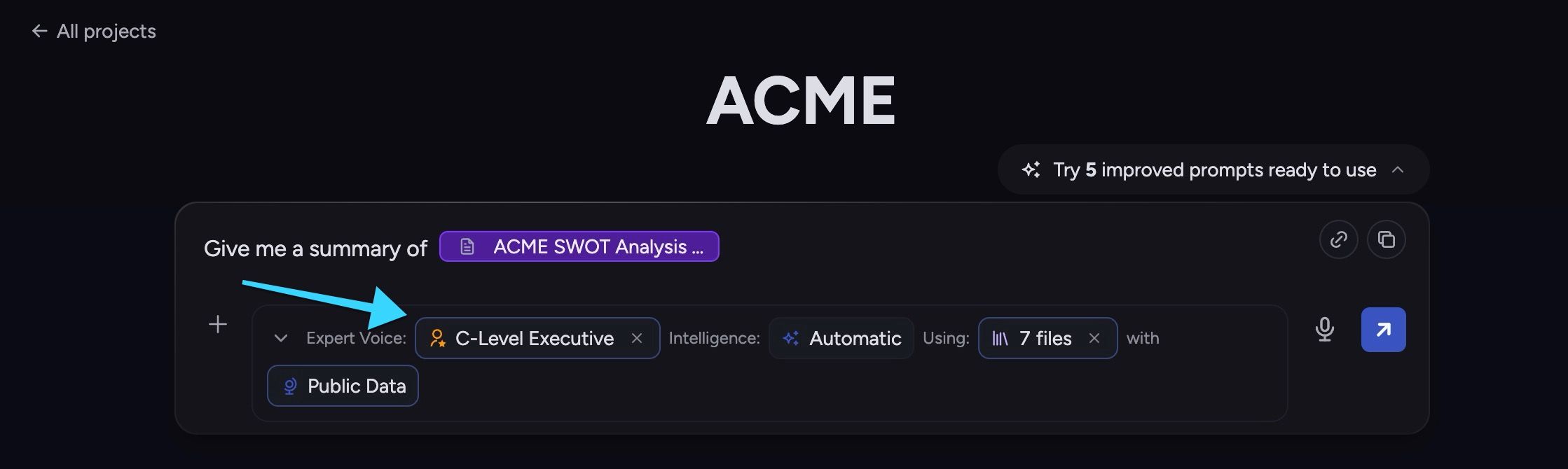
When you select an Expert Voice, Chief keeps using that voice until you change it or reset back to default.
This helps you get answers in a format that better fits your task, such as executive summaries, coaching-style guidance, or domain-specific analysis.
Why use Expert Voices?
Faster alignment - get a response style that matches your intent immediately.
Better consistency - keep tone and format stable across related prompts.
Clearer collaboration - teammates can reuse the same voice patterns.
Flexible control - reset to default any time.
💡 Tip: Start with a built-in voice, then create a custom Expert Voice after you identify repeated style needs.
Built-in vs custom Expert Voices
You can work with three practical voice sources:
Built-in voices - ready-to-use voices provided by Storytell.
Project voices - voices shared with anyone in your current Project.
Private voices - voices only you can use.
Built-in voices are best for quick experimentation. Custom voices are best for repeat team workflows.
You can create your own Expert Voice too! Learn more here: Create and manage Expert Voices
Where Expert Voices matter
You can use Expert Voices from chat controls and voice management pages:
Project -> Chat -> Chat settings -> Expert Voice
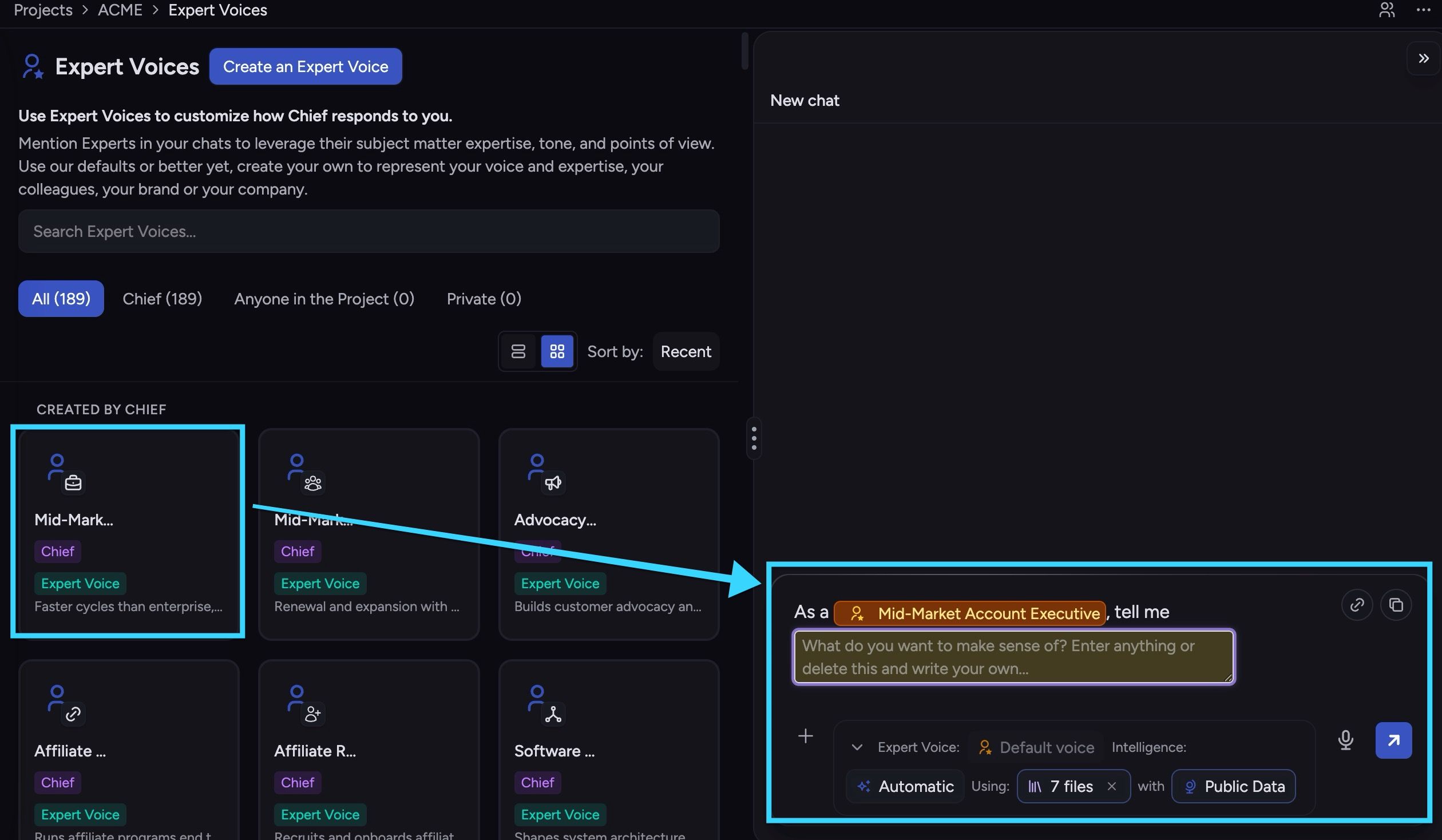
Sidebar -> Expert Voices -> Chat (Start a chat using a specific Expert Voice)
How Expert Voices affect responses
Expert Voices primarily affect style and perspective, not your selected knowledge scope.
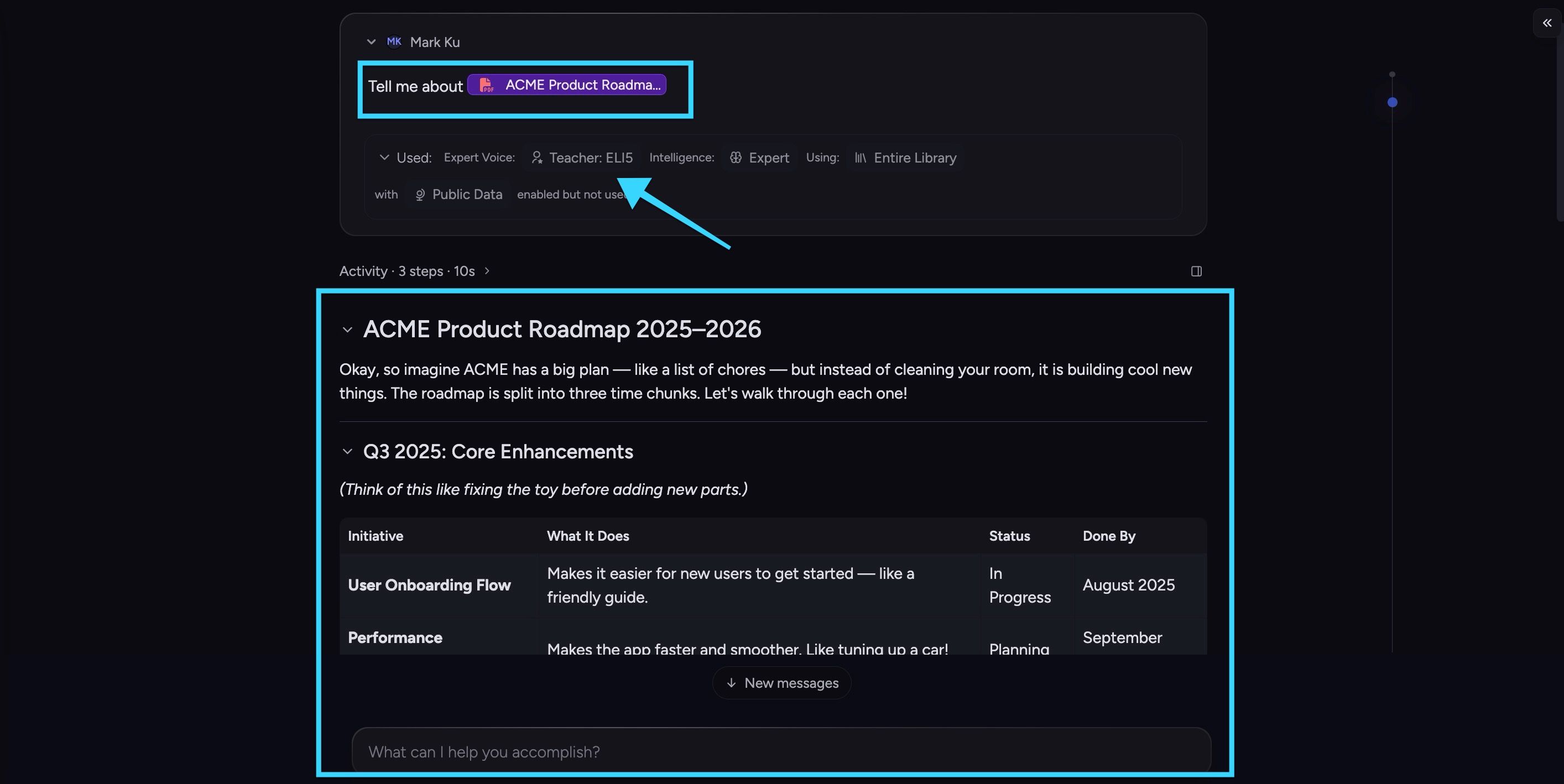
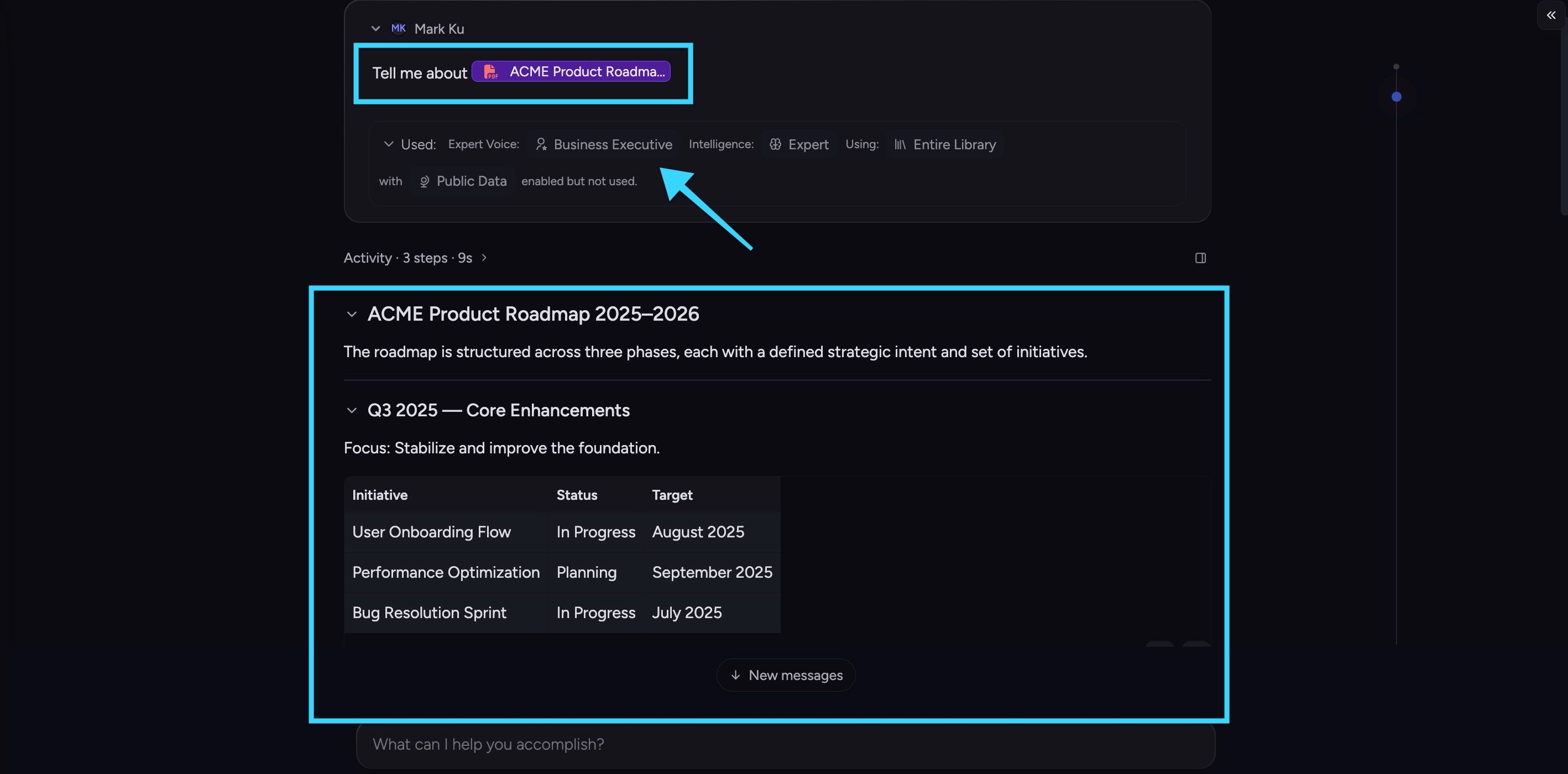
Here’s an example of Chief processing the same prompt, but with different Expert Voices:
As a Teacher
As a Business Executive
Your final response is shaped by multiple settings together:
Expert Voice - tone and persona
Intelligence - depth/speed of reasoning
Using - which files/labels/collections are in scope
Public Data - whether public web context can be used
If output feels off, review all four settings before retrying.
Still need help? Ask the team