June 22–26, 2026 Releases
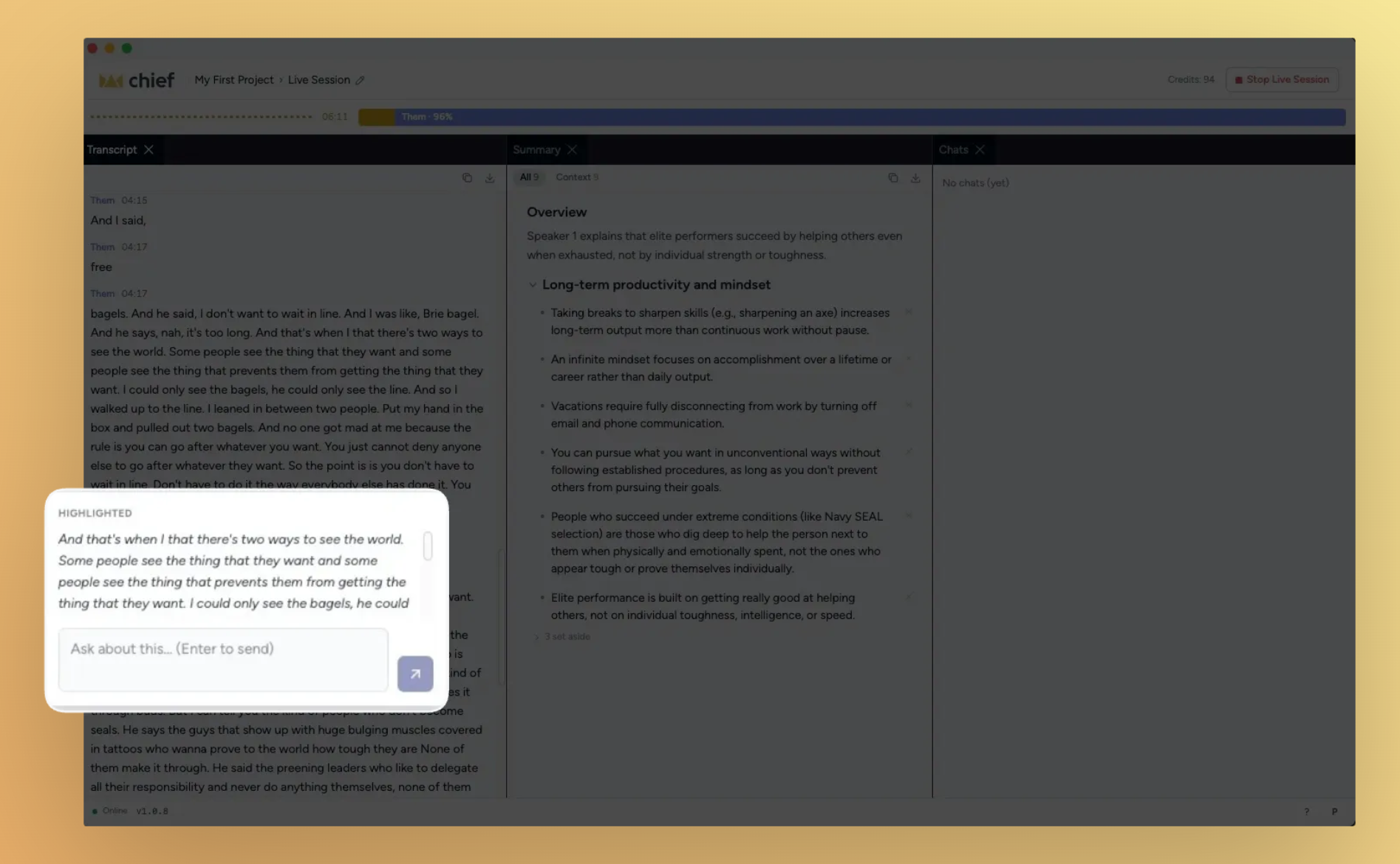
Live Sessions become your meeting co-pilot. This stretch was all about making what happens in a meeting actually useful after the fact and during it. You can now highlight any moment in a Live Session transcript and ask Chief about it in real time, watch the talk-time bar fill as each person speaks, and trust that the session stops when the call ends. Meanwhile, new users land in an interactive onboarding tour, and pasting files into the chat bar finally just works.
What's in this release
New
Highlight any transcript moment and chat with Chief about it
Speaker talk-time bar shows who's talking and for how long
Live sessions stop automatically when your call ends
Real-time summary builds as the meeting progresses
Interactive onboarding tour with a guided demo
Paste images and files directly into the Chief chat bar
Forward and reply when composing email drafts
Card view for browsing your live sessions library
Improved
Project selector redesigned for quicker navigation
Back button and breadcrumb names in the expanded panel
Organization settings available across all projects
Notification interactions use a modal instead of a block state
Chief warns you when a device pairing is revoked
Artifact cards surface more prominently in chat
Chat visibility toggle always visible with a lock/globe icon
Slack setup uses clearer field labels
Google Workspace setup includes direct navigation links
MCP and CLI links added to account settings
Device pairing page linked from the code entry screen
Chat responses prefetch for a snappier feel
Fixed
Chat threads open at the latest message, not the top
AirPods audio works reliably in the native app
Transcript now uses "you" instead of "them" for your own speech
Highlight and chat controls hidden until a session has content
Live-session nudge no longer appears during onboarding
Chats no longer break after a session has stopped
Generated artifact cards display correctly in dark mode
Action prompts handle edge cases correctly
Streamed answers reconcile cleanly when a block stops
Highlight any transcript moment and chat with Chief about it
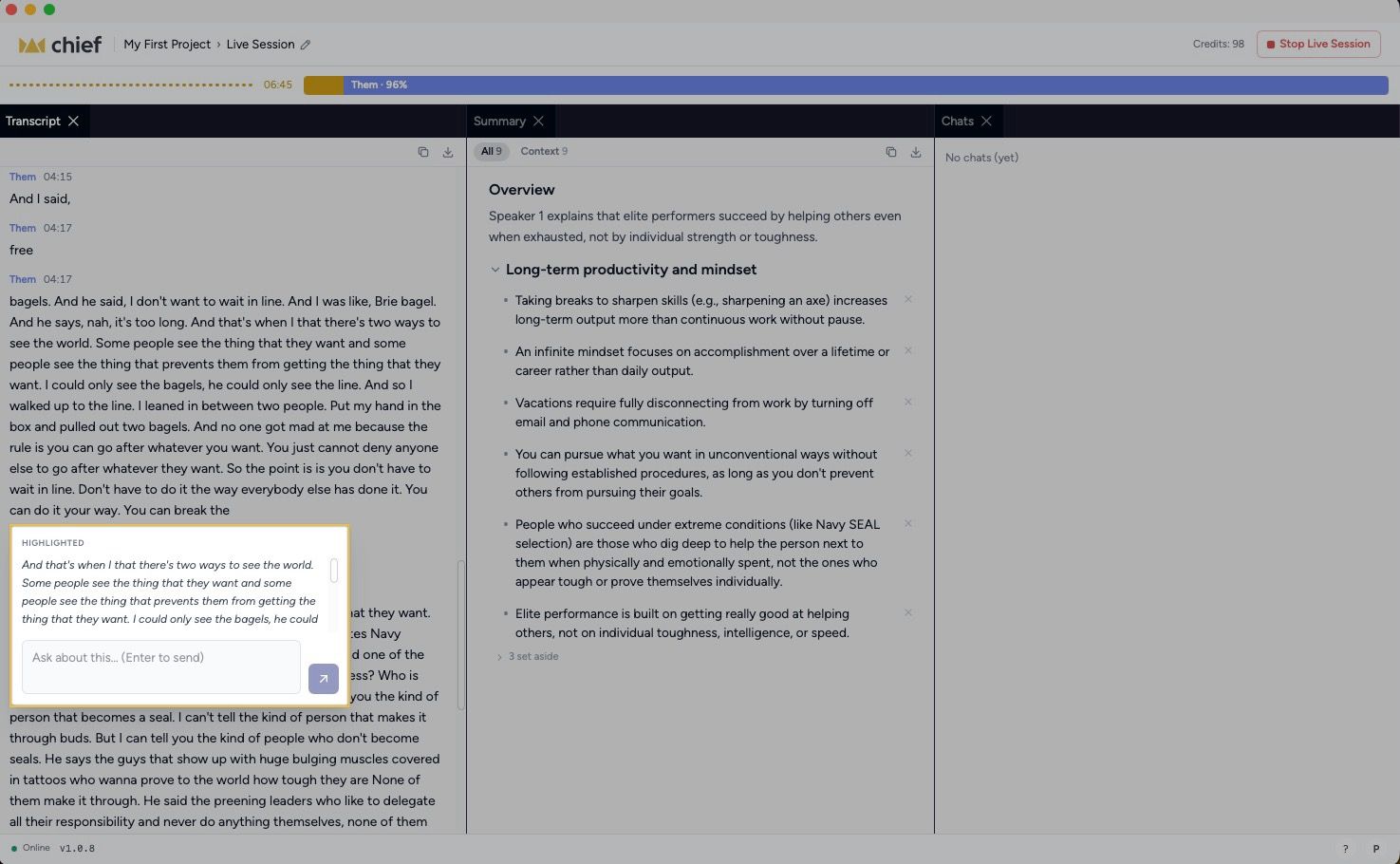
During a live session, you can now select any span of the transcript and open a chat thread about it — without losing your place in the meeting.
Select and ask. Highlight a sentence or a block, then ask Chief a question about it right there in context.
Stays anchored. The conversation threads to the exact transcript moment you highlighted, so it's easy to find later.
Ships in the native app first. Available on the Chief desktop app for this release.
Speaker talk-time bar shows who's talking and for how long
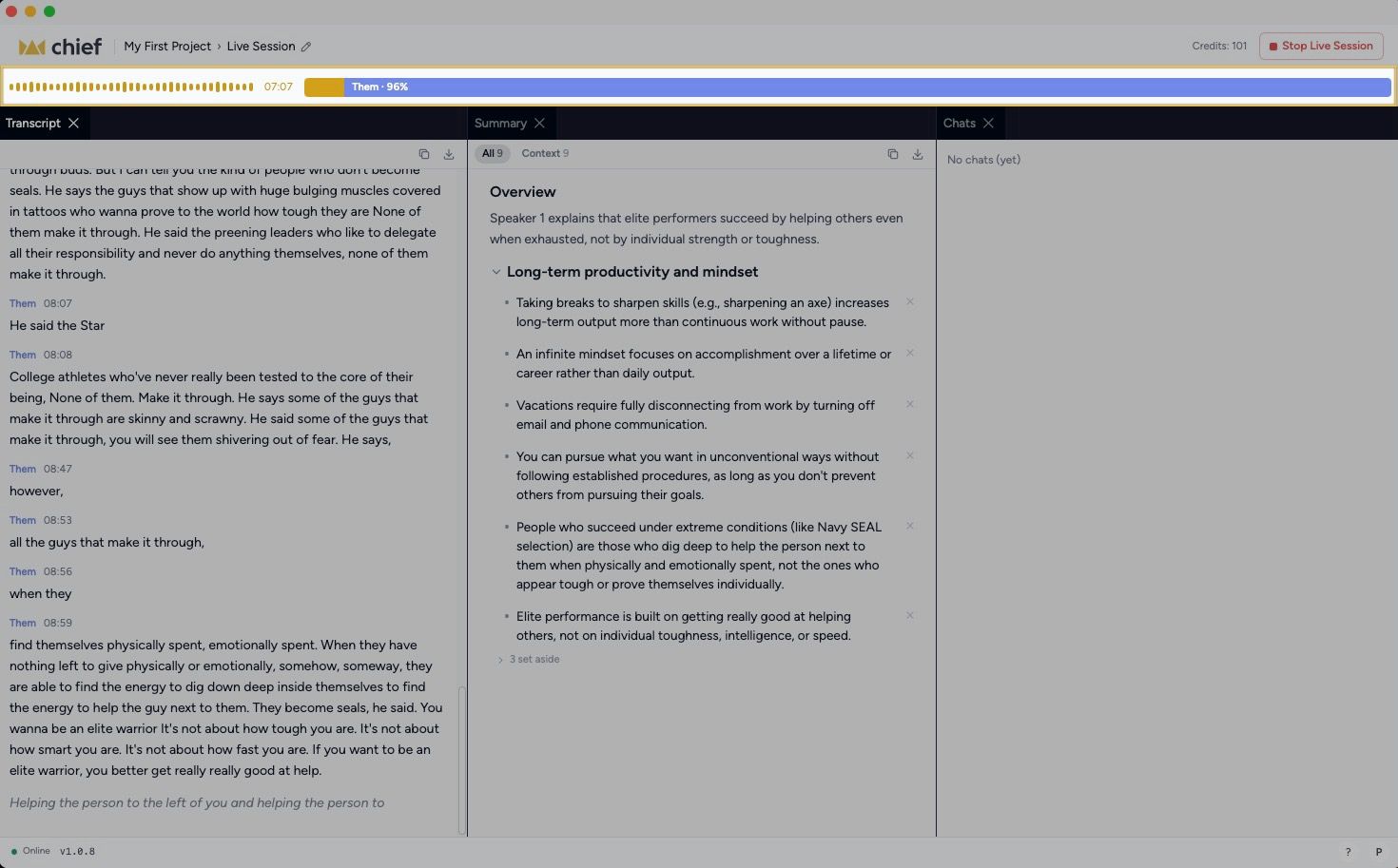
A visual bar now tracks each participant's share of the conversation in real time, so you can see at a glance who's dominated the call and who hasn't had a chance to speak.
Updates live. The bar refreshes as the session progresses, not just at the end.
Per-speaker color coding. Each participant gets their own segment so the breakdown is instant to read.
Interactive onboarding tour with a guided demo
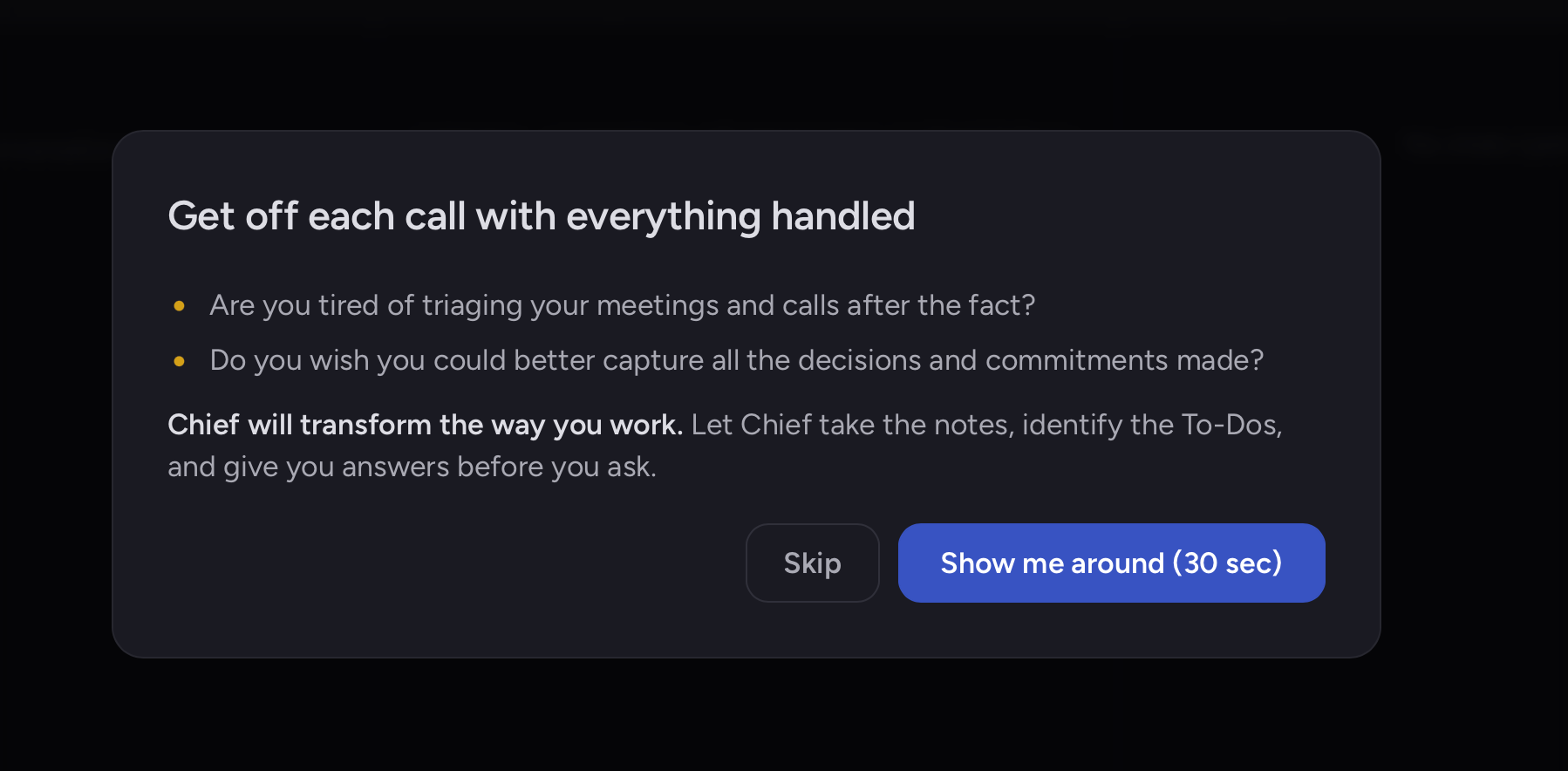
New users now land in a hands-on demo tour that walks through Chief's core features step by step, replacing the previous static copy.
Rewritten copy throughout. Every screen in the welcome flow has been updated for clarity and brevity.
Interactive steps. The tour responds to your actions rather than just displaying instructions.
Improvements
Project selector redesigned for quicker navigation
The project picker in the Chief app has been overhauled — faster to scan, easier to switch, and lighter on screen real estate.
Back button and breadcrumbs in the expanded panel
The expanded-panel view now includes a back button and human-readable breadcrumb names so you always know where you are and how to get back.
Live sessions stop automatically when your call ends
Chief now detects when the underlying meeting call closes and stops the session on its own. No more manual cleanup when a call wraps unexpectedly.
Real-time summary during live sessions
The session summary no longer waits until the call ends. It builds progressively as the meeting runs, so you have context ready to act on before anyone hangs up.
Card view for the live sessions library
Your live sessions page now supports a card layout, making it easier to scan recent sessions at a glance — especially as your library grows.
Paste images and files directly into the chat bar
You can now paste an image or file into the web prompt bar without touching the file picker.
Forward and reply when composing email drafts
Email drafts now support forwarding and replying in-thread, so you can handle full conversations without leaving Chief.
Org settings available across all projects
Organization-level settings are no longer scoped to a single project — they're now accessible from any project context.
Notifications use a modal, not a block state
Clicking a notification now opens a focused modal instead of locking the interface in a loading state — cleaner and easier to dismiss.
Chief warns you when a device pairing is revoked
If your device pairing is revoked, the Chief app now surfaces a clear warning so you know to re-pair rather than wonder why the session isn't connecting.
Artifact cards are more prominent in chat
Generated artifacts now display as prominent cards in the chat window, so they don't get lost in the conversation flow.
Chat visibility toggle always visible
The lock/globe icon that controls chat visibility is now always visible in the toolbar — not just on hover — so you can always see and change who can see a conversation.
Slack setup uses clearer field labels
The "Bot token" field in the Slack integration settings has been renamed to "Bot User OAuth Token" — matching exactly what you see in the Slack developer console.
Google Workspace setup includes direct navigation links
The Google Cloud and Google Workspace setup flows now include direct links to the exact pages you need, cutting out the back-and-forth of hunting through admin consoles.
MCP and CLI links added to account settings
A shortcut to the MCP and CLI setup docs is now available directly from the account settings pop-up.
Device pairing page linked from the code entry screen
The pairing code entry screen now includes a direct link to the device pairing page, removing a navigation step when setting up a new device.
Chat responses prefetch for a snappier feel
Chief now prefetches chat data in the background, reducing the time between opening a chat and seeing its content.
Fixes
Chat threads open at the latest message
Opening a thread used to scroll to the top instead of the most recent message. Threads now open at the bottom, right where the conversation left off.
AirPods audio works reliably in the native app
A compatibility issue caused audio capture to fail silently with AirPods. That's resolved.
Transcript uses "you" for your own speech
The live session transcript was labeling your own speech as "them" in some configurations. It now correctly uses "you."
Highlight and chat controls hidden on empty sessions
The highlight and chat controls are now correctly disabled until a live session has content — tapping them on an empty session no longer triggers a broken state.
Live-session nudge hidden during onboarding
New users were seeing the live-session start nudge in the middle of onboarding. That prompt is now suppressed until onboarding is complete.
Chats work correctly after a session stops
Chat initiated after a live session ended was behaving incorrectly in some cases. The session-stopped state is now handled cleanly.
Artifact cards display correctly in dark mode
Row hover states in the generated artifacts section were inconsistent in dark mode. Both card prominence and hover behavior are now correct.
Action prompts handle edge cases correctly
Several edge cases in the action prompt flow — including input validation and state transitions — have been patched.
Streamed answers reconcile cleanly when a block stops
In rare cases, a streamed answer and the final persisted text could diverge when a block was stopped mid-stream. That gap is now closed.